
Description
Double sided card printing
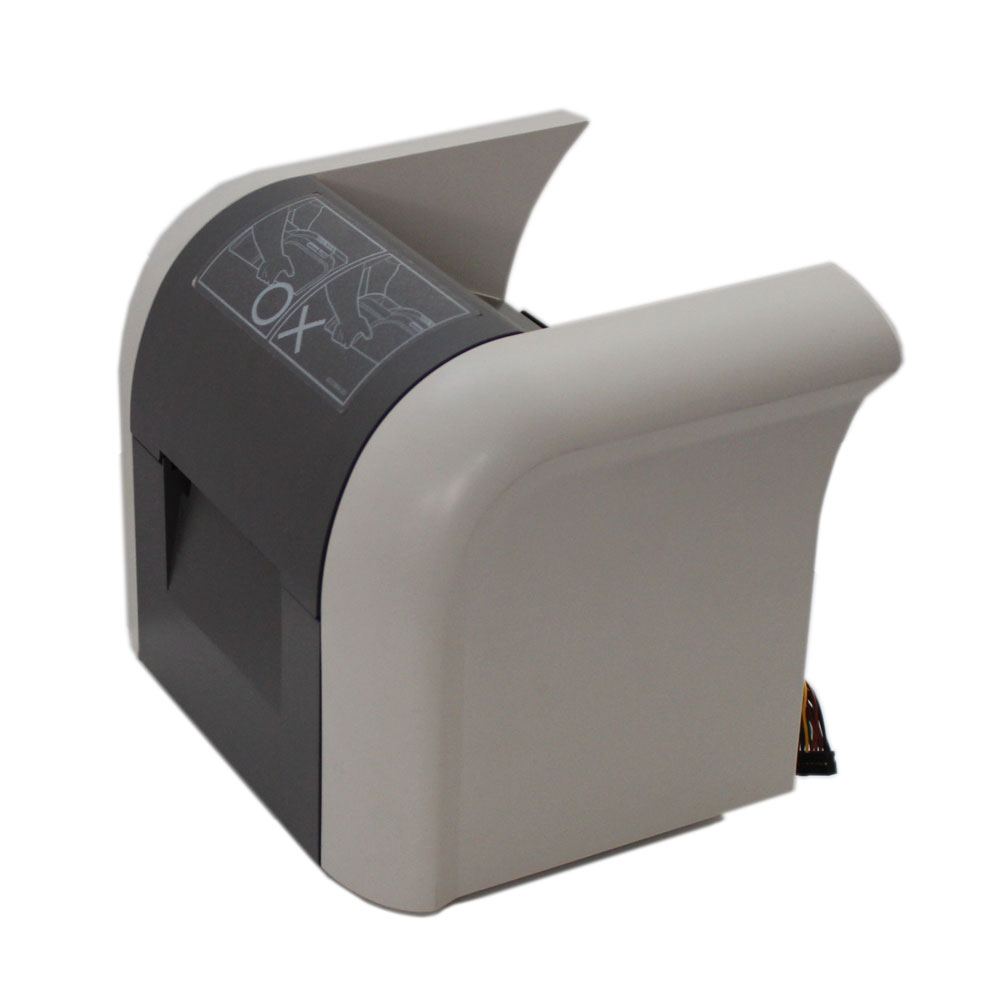
Double sided card printing you will need for example when you are printing membership cards or loyalty cards. Sometimes you need to print both sides of ID cards. This can help you print a large volume of cards in a much faster time, because our flipper module does double sided card printing automatically. Instead of having to manually take every card out, and then printing on the other side again, the printer now automatically does it for you already all in one print. This will also prevent possible misalignment, or uneven margins, that could potentially happen when doing it manually. The flipper module makes sure the front and back sides line up perfectly.
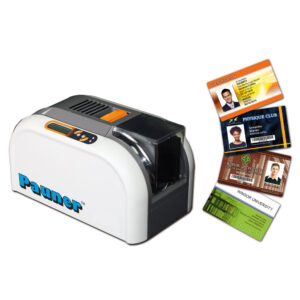
If you don’t have a card printer at all, you can first buy the Pauner H-200e pvc ID card printer for a reliable and high quality option. And whenever you decide that you have a need for double sided printing, like for example for big events, you can buy our flipper module accessory, that turns it into a double sided id card printer.
Get more space for printing
Double-sided card printing gives you much more usable space on every card. This makes your designs clearer, cleaner, and easier to read. Instead of cramming all information onto one side, you can place the essential details—like the name and branding—on the front, and move instructions, terms, barcodes, or contact information to the back. This makes the card look more professional and ensures important details aren’t overlooked.
It’s also far more practical for real-world use. With both sides available, you can organize information logically, avoid clutter, and keep your layouts visually appealing. Whether it’s for membership cards, event badges, or staff IDs, double-sided printing helps you create cards that are more functional, more durable, and easier for people to use. Our high quality pvc card printer is a great option to do this.
Instructions for the installation
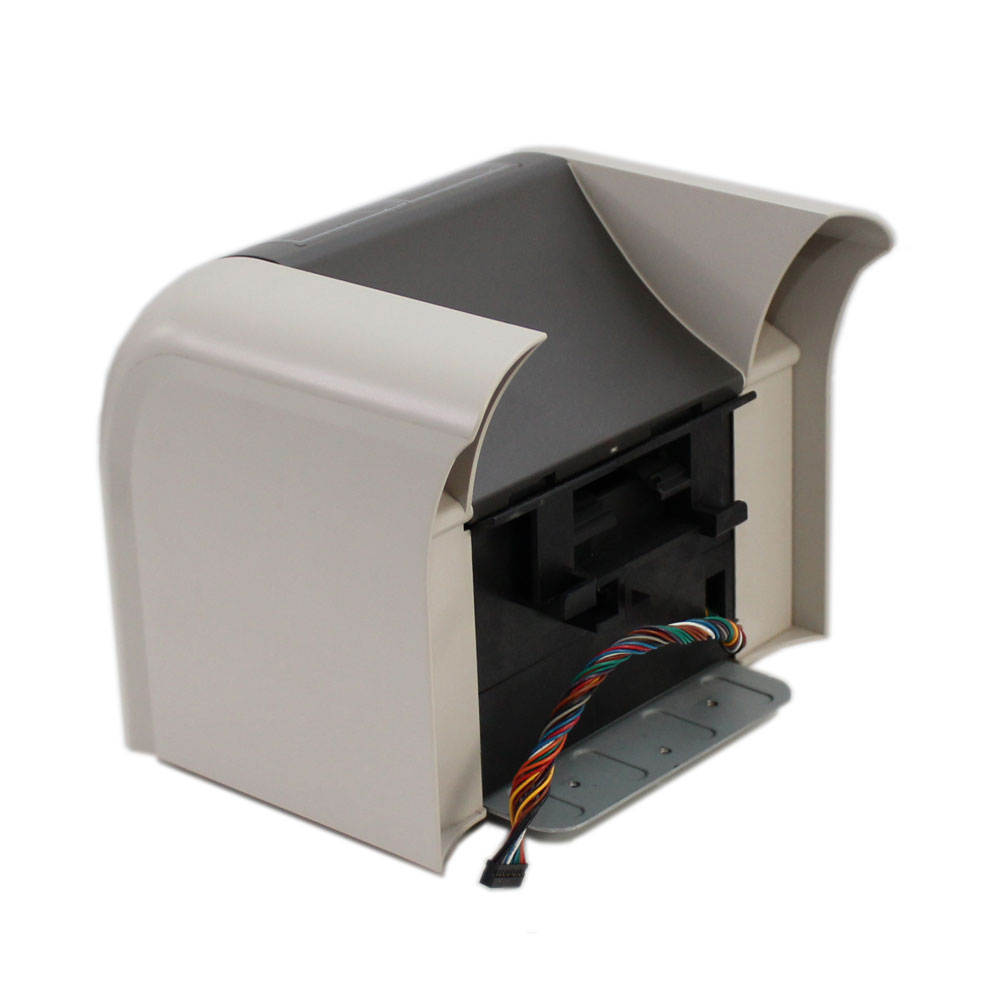
You can easily install the flipper module accessory on the H-200e card printer, and then you have an id card printer machine double sided.
The instructions below will guide you through the installation

Turn the card printer machine upside down on a table and use a screwdriver to unscrew screws 1-4.

Remove protective plates 5 and 6.

Place the flipper module in place. Fasten screws 7-9. Attach the connector cable 10. Attach the protective cover 11.
Then you have the best dual sided id card printer.

What the Flipper Module Does & Why It Matters
The Pauner H-200e Flipper Module turns your H-200e ID card printer into a full-featured double-sided ID card printer. It is also called a dual-sided or duplex printer. The flipper-module enables automatic printing on both sides of a PVC card in a single pass.
This means no more manually removing and reinserting cards to print the back side. The flipper mechanism rotates each card automatically, prints the front, flips it. And then prints the back before ejecting the completed card.
With dual-sided printing, you can add extra details. For example as membership info, terms & conditions, branding, barcode or additional images on the back. It makes cards more informative, professional and versatile.
For organizations issuing membership cards, loyalty cards, employee badges, or access cards. Especially when large batches or complex card designs are needed. A duplex setup dramatically increases efficiency, reduces manual labor, and minimizes risk of handling errors or printhead damage compared to manual flipping.
Installing the flipper module is straightforward: you turn the printer upside down, remove a few screws and protective plates, attach the module, reconnect the cable and replace the cover — then you’ve upgraded to a dual-sided ID card printer.
FAQ – Common Questions on Double-Sided ID Card Printing & the Flipper Module
Q: What does “dual-sided” or “double-sided” ID card printing mean?
A: It means printing on both front and back of a plastic ID card in one automated printing job — front first, then the printer flips the card internally and prints the back. This eliminates the need for manual card handling or re-inserting cards.
Q: Why should I use the Flipper Module instead of a regular single-sided printer?
A: With single-sided printers you’d have to manually flip each card to print the back, which is time-consuming — and may lead to contamination (dust, oils) on the card surface that can damage the printhead or degrade print quality. A flipper module automates the process, saving time and reducing error risk.
Q: What kind of cards benefit from double-sided printing?
A: Membership cards, loyalty cards, employee/visitor badges, access cards, ID cards — any card needing more information than fits on one side (e.g. name + photo + barcode + membership details + terms on back), or needing space for additional branding or functional elements (e.g. barcode, contact info).
Q: Can I upgrade my existing H-200e single-sided printer to double-sided later?
A: Yes — the Flipper Module is an add-on accessory, so you can purchase and install it later if your card printing needs evolve.
Q: Is the installation difficult — do I need special skills?
A: No, you just need a screwdriver. The module is installed by removing some screws and protective plates under the printer, attaching the module and cable, then replacing the cover. Typical users can install it themselves in a few minutes.
Q: What are the main advantages of using a dual-sided ID card printer with a flipper module?
A: — Faster card issuance (both sides at once) — Reduced labor and manual handling — Cleaner workflow with fewer errors — Ability to create professional, information-rich cards — Better resource efficiency (no need for separate cards or manual second pass).
Pauner International Onlineshop >>
Reviews
There are no reviews yet.