
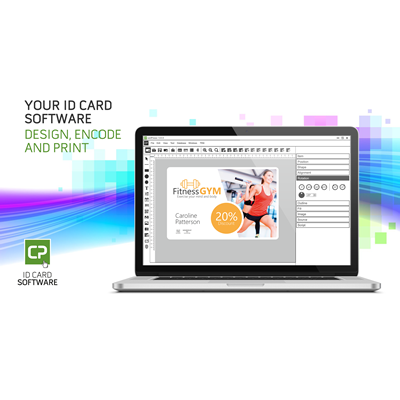
Description
Cardpresso badge printing software is compatible with all the most common plastic ID card printers. ID card printing software Cardpresso is suitable for example printing ID cards for workplace staff and membership cards. And excellent badge printing software when you need badge printer for events.
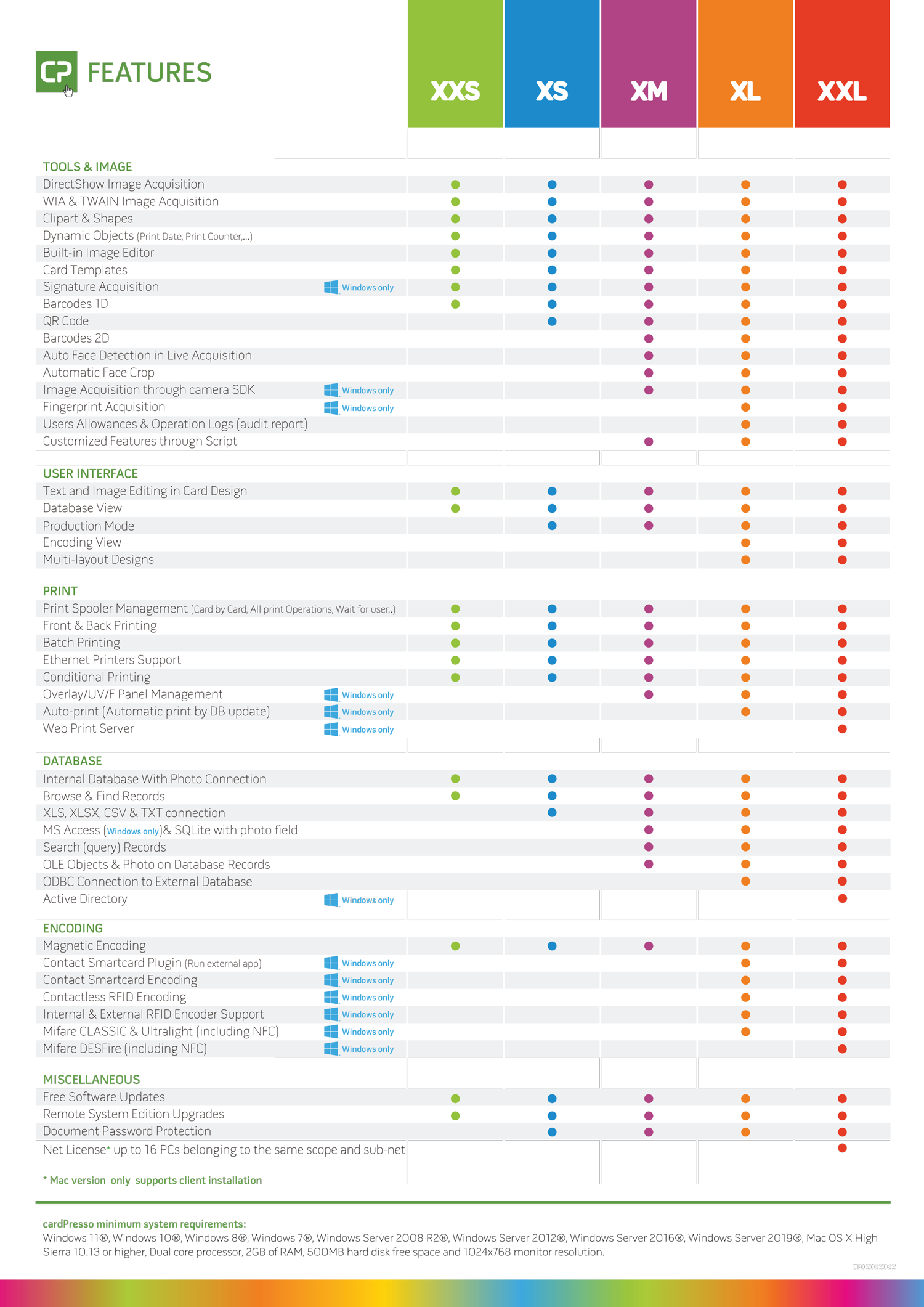
Cardpresso badge printing software is easy to start using. First, you install the program on your computer. Then activate the program with the activation code you received in the order. First, plan the layout of the card. Choose whether you want a vertical or horizontal layout. Then, with the cardpresso badge printing software easy-to-use tools, you can place text fields and logos where you want. And then a personal photo if you are making an identity card for workplace staff. If you wish, you can also use the image file you made with an image processing software as the background of the card.
When you start making a card, you write the name and the changing information and print the card. If you wish, you can save the ID cards with a person’s name, for example. If you order a larger version of the ID card printing software Cardpresso, you can read the information printed on the cards from the Excel list. It is a practical function, for example, when badge printing for events. In large work communities, you can use the version connected to the database.
You can take personal photos either with an HD-level web camera connected to a computer or with a phone camera and transfer the photos to a computer with a USB cable or to a cloud folder. It is also possible to connect a professional-level system camera to the larger version, with which you can smoothly take high-quality personal photos directly from the program.
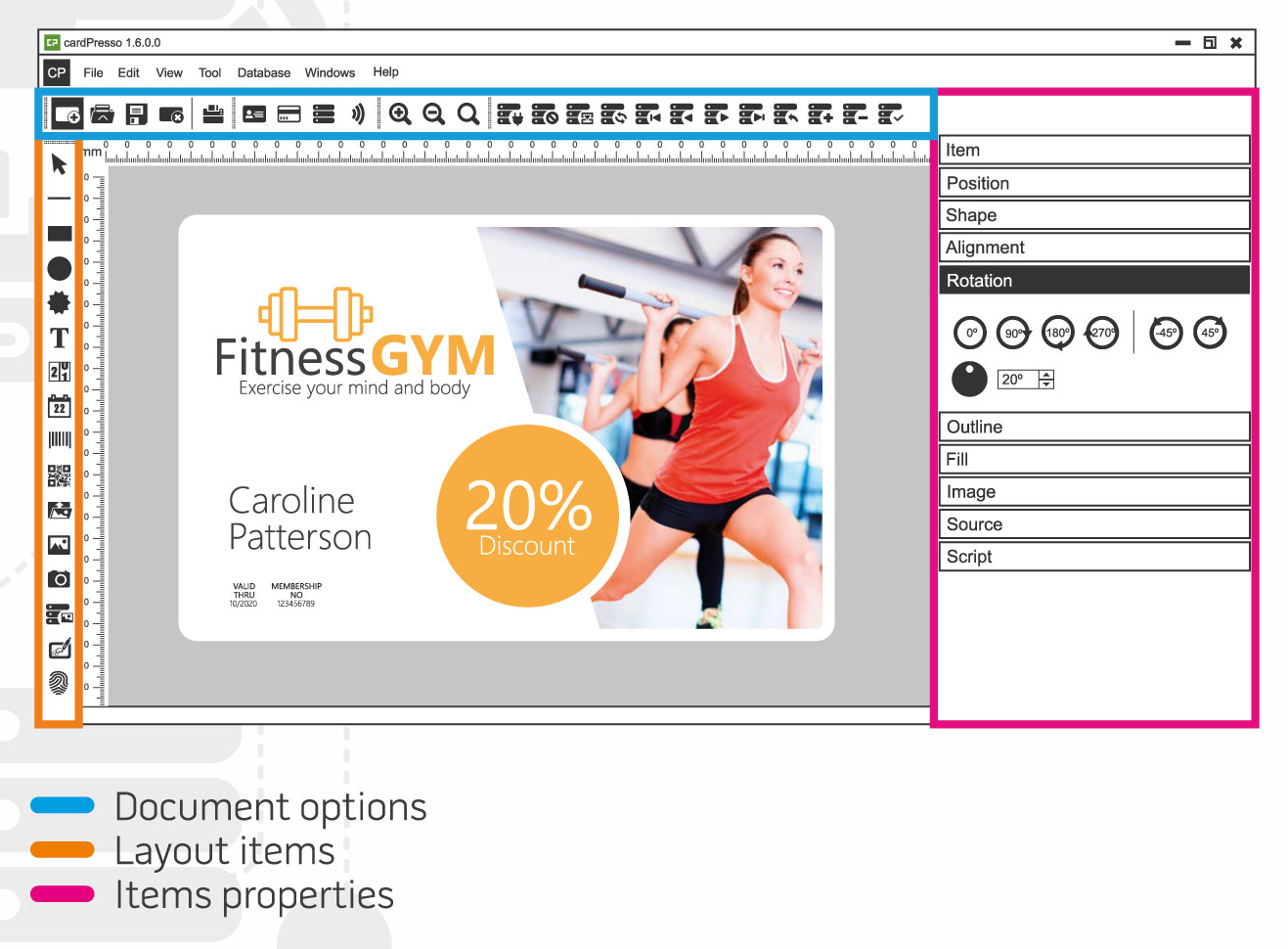
Cardpresso badge printing software versions:
The XXS version has basic functions for making individual cards. By the XS version you can read the information to be printed on the cards from the XLS file. When you are printing event cards, the XLS file reader is most often a necessary function for you. The XM version of cardPresso badge printing software includes MS Access and SQLite connectivity. The XL version you can connect to the database with an ODBC connection. The XL version is well suited for use by large organizations. The XXL version is the largest online license for 16 computers.
When you order Cardpresso badge printing software from our online store, you will receive an activation code and the id card design software download link in your email within 1-2 days. If you want more information about the ID card printing software or want a demo version to test before ordering, send an email to info(at)pauner.us
CardPresso ID Card Printing Software
CardPresso helps you design and print professional ID cards fast. The software supports PVC card printers and smart card technologies. You can create badges with photos, barcodes, QR codes, and magnetic stripe data.
CardPresso offers clear tools and a simple interface. You work quickly and avoid complex workflows. The software includes templates that speed up card creation.
CardPresso handles employee badges, membership cards, student IDs, visitor passes, and access control cards. It fits small teams and large organizations.
CardPresso supports databases for fast batch printing. You import data and print many cards at once. The software improves accuracy and reduces manual entry errors.
CardPresso works well with most ID card printers. Many U.S. users choose it as reliable badge printing software, ID card design software, and ID badge printing software.
For this reason, the software stands out as a strong choice when you need advanced features along with easy operation.
FAQ – CardPresso ID Card Printing Software
Q: What is CardPresso?
CardPresso is ID card design and printing software. It creates photo IDs, badges, and access cards.
Q: Who uses CardPresso?
Businesses, schools, gyms, hospitals, and government offices use it. Anyone printing ID badges benefits.
Q: Can CardPresso design both simple and advanced cards?
Yes. You create basic photo badges or advanced cards with barcodes and smart card data.
Q: Does CardPresso support databases?
Yes. You connect external databases and print many cards fast.
Q: Is CardPresso easy to use?
Yes. The interface is simple. Tools are clear. You learn quickly.
Q: Does CardPresso work with my card printer?
It supports most major ID card printers. Compatibility is wide.
Q: Can I print double-sided ID cards?
Yes. CardPresso supports duplex printing when your printer allows it.
Q: Does CardPresso include templates?
Yes. It includes ready-made badge templates for fast design.
Q: Is CardPresso good for large organizations?
Yes. Database support and batch printing make it ideal for high-volume jobs.
Q: Why choose CardPresso over other card printing software?
It offers strong features, a simple interface, wide printer support, and reliable performance.
You can also order ID card accessories from us.
Outside the US you can buy ID card printing software from the pauner.io online store >>
Reviews
There are no reviews yet.